Edge Manager
As a network administrator or IT expert, Edge Manager will be your portal to monitor the health of the TrendMiner server and keep it up to date.
Type ‘http://<trendminer_address>:8080’ in the browser navigation bar to navigate to Edge Manager.
The default password to enter Edge Manager is "admin".
Note that as long as SSL is not configured (or when there are issues with the SSL certificates) Edge Manager can only be accessed via http and not via https.
Tip
After successful configuration of SSL (and as long as the certificates are valid) Edge Manager can also be accessed via https://<trendminer_address>/edge
As soon as SSL is enabled your browser will likely redirect you to https://<trendminer_address>:8080, even when you explicitly add http in the navigation bar.
This will result in a page showing ERR_SSL_PROTOCOL_ERROR.
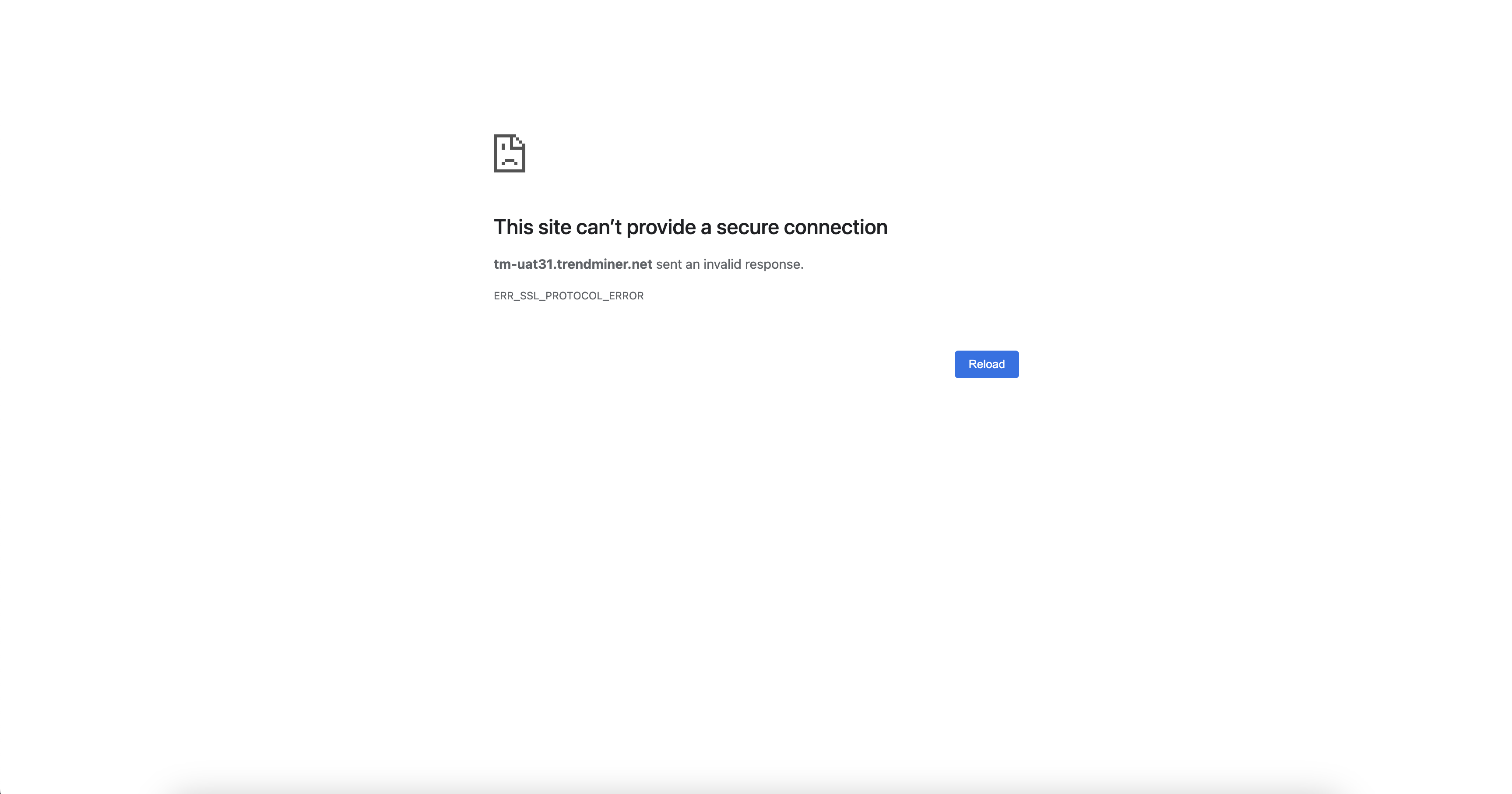
The easiest way to open Edge Manager anyway is to use incognito mode/inprivate browsing. When switching to incognito mode/inprivate browsing make sure to not browse to https links on this domain as all http calls will be redirected to https as of that moment.
Alternatively you can use the instructions below connect via http for this domain.
Chrome
In your navigation bar, enter
chrome://net-internals/#hstsUnder "Delete domain security policies" enter your TrendMiner domain in the input field (without protocol or port), e.g. "mycompany.trendminer.com"
Click "Delete"
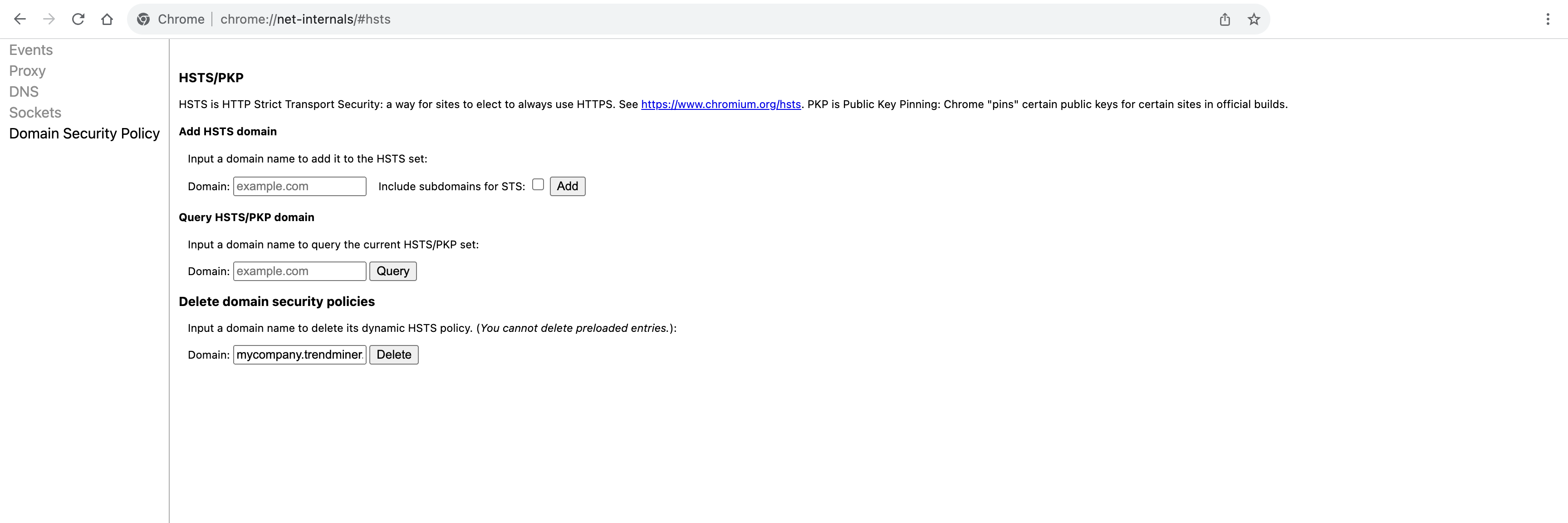
Now you should be able to browse to Edge Manager. Note that as soon as you browse to a https page on this domain again, the setting will get lost and you need to repeat the above procedure to access Edge Manager.
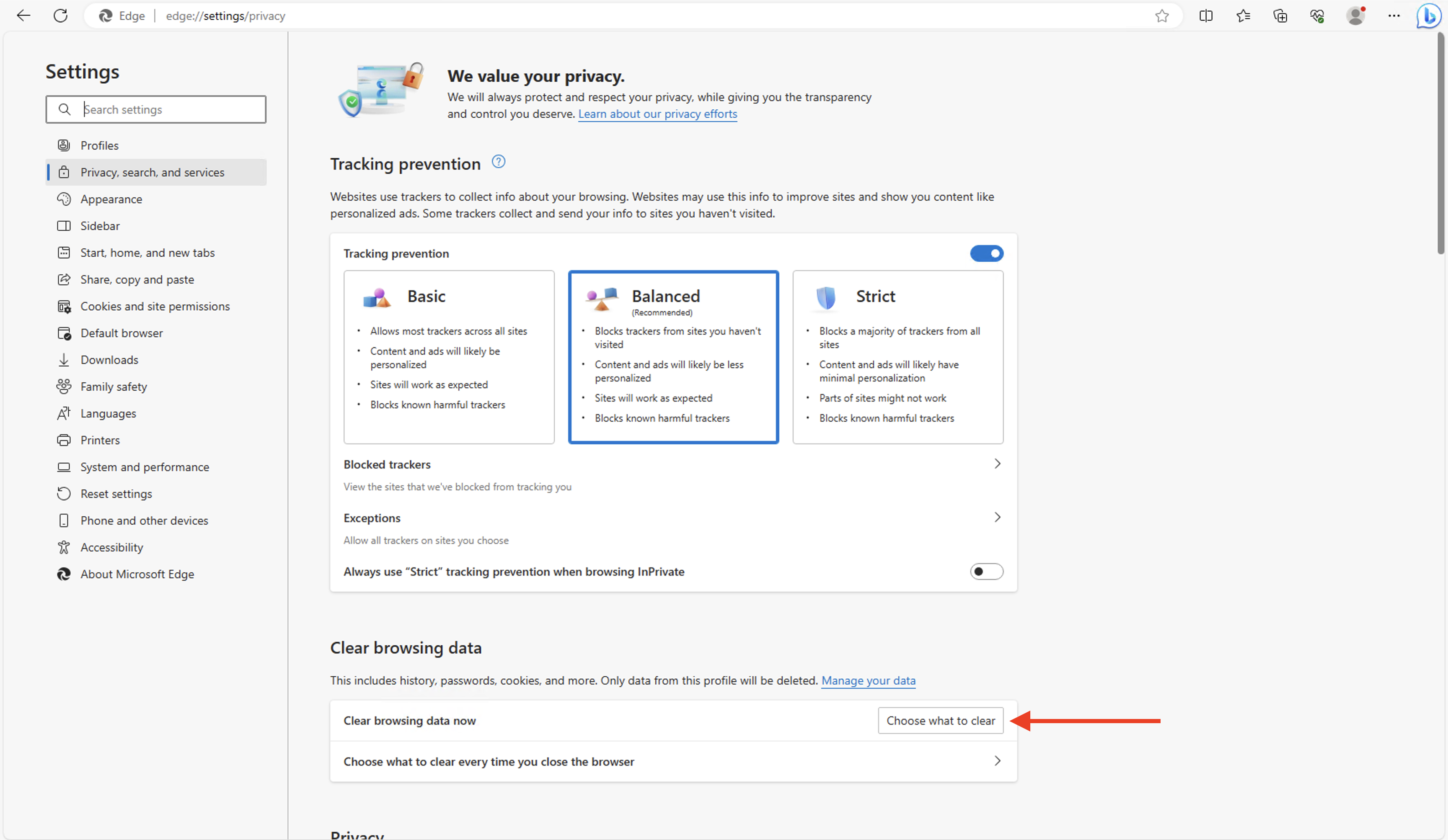
Edge
In your navigation bar, enter
edge://settings/privacyClick on "Choose what to clear"
Check "Cached images and files"
Click "Clear now"
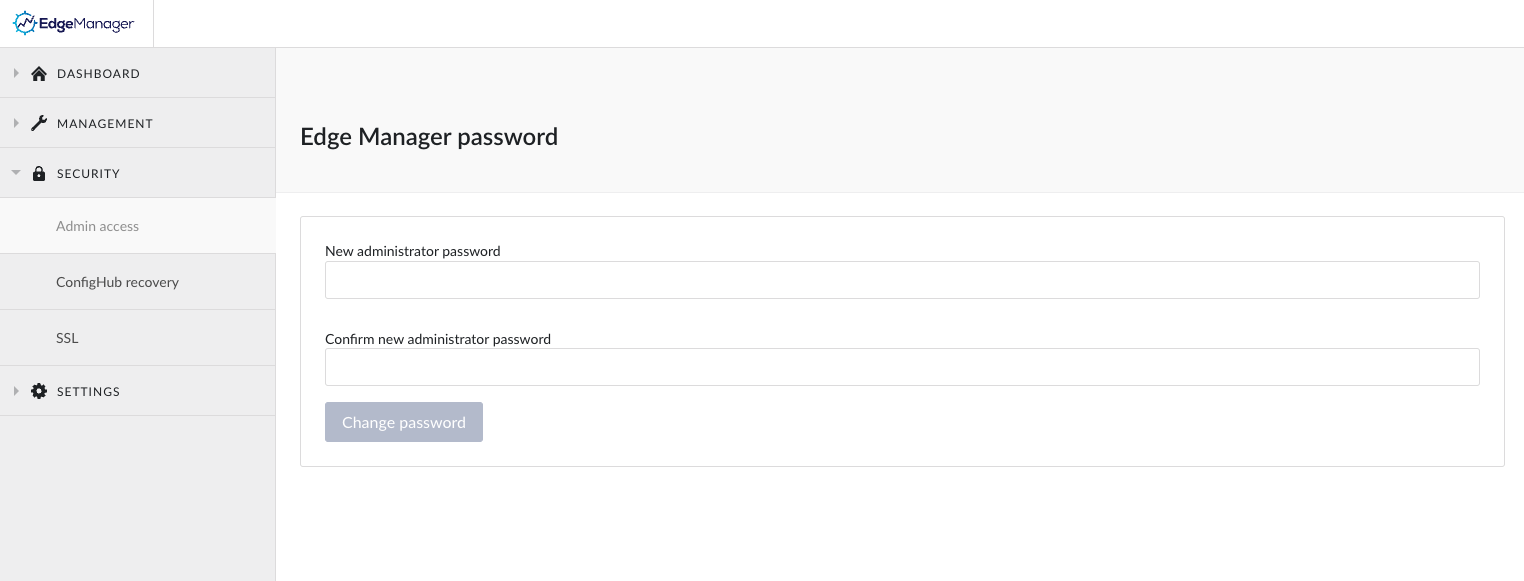
Admin access
Go to the 'SETTINGS' section and click on ‘Admin access’ to change the Edge Manager password.
Tip
Store your new password securely in your company password manager. TrendMiner will not be able to recover your lost password.
 |
Upload TrendMiner license
In Edge Manager expand the ‘MANAGEMENT’ menu and click ‘License’.
Click ‘Browse files’.
Select the license file which was received from the TrendMiner Customer Success team. Please contact the TrendMiner Customer Success team in case you did not receive a license file yet or for more information concerning the required license.
Click ‘Upload license’.
If a valid license is uploaded all license details will become available and access to ConfigHub will be unlocked. More information about the license details can be found on the License page.
NTP Settings
Important
Filling in an NTP server is considered mandatory. TrendMiner might work without a configured NTP server but not filling in an NTP server could lead to security issues like for example automatic logouts of users.
Expand the ‘SETTINGS’ menu and click ‘General’ to configure the NTP server.
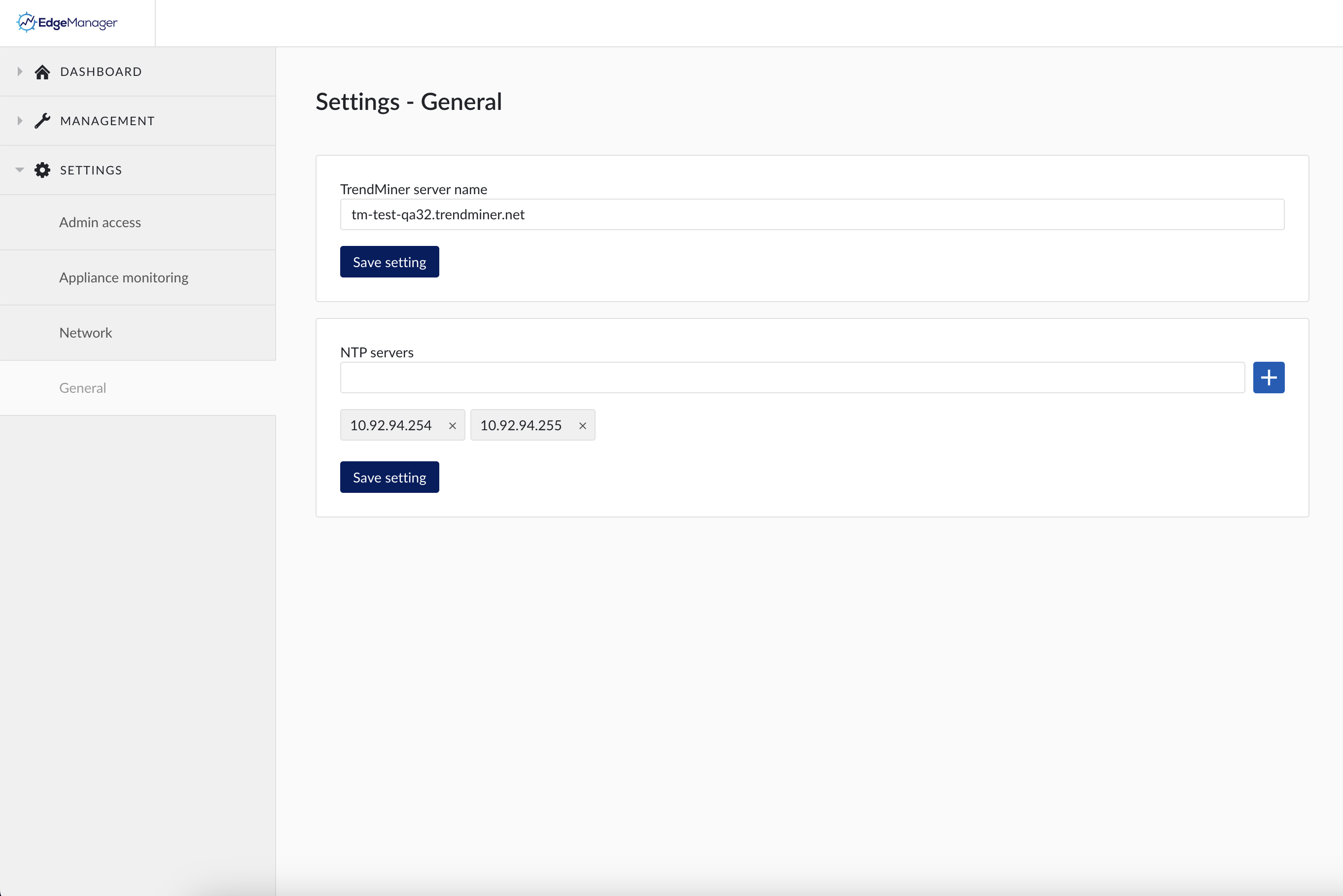
In the "NTP servers" input box enter an IP address or hostname from an NTP server.
Click the "+" icon to add it.
Repeat step 2 and 3 for each NTP server you want to add.
Click "Save setting"
A feedback popup "NTP servers updated successfully" will show up on the bottom right of the screen.
Configure SSL/HTTPS
Important
Following our security by design principles SSL configuration is mandatory. Not configuring SSL could lead to login issues for users.
SSL can be configured in the 'SECURITY' section of Edge Manager. Via the 'SSL' menu a private key, a certificate and a certificate chain must be uploaded which will show up in the 'Certificates' menu under 'Trusted Certificates'.
Your company should have its own procedure for enabling SSL for their web applications. As part of this procedure, you might need to generate a Certificate Signing Request (CSR) which is explained here: How to get a CSR?. With this CSR your IT department will generate the key and certificates which you can use to enable SSL in TrendMiner.
Upload all three files (Private key, Certificate and Certificate chain)
Important
It is important that 3 separate files are uploaded and that these files are in the correct format. More information on how to get these files can be found here:
Enable HTTPS from the 'Actions' dropdown button.
This action will trigger several tasks on the right side of the screen. Wait a few minutes until all the tasks change to the ‘SUCCESS’ status.

Tip
While these tasks are running, you might need to refresh your screen several times. If you are unable to reach the server, try changing the protocol/scheme used to reach the ConfigHub page from http:// to https://
Make sure the company firewall rules allow you to access both http:// and https:// for TrendMiner to make sure you are not locked out when enabling SSL or in case your certificates expire later on.
More info on SSL and how to configure it can be found here: SSL configuration