SMTP configuration
TrendMiner requires an email / SMTP server configuration to be able to send out communications for:
Prerequisite
To be able to use this functionality, you should have following in place
a working local email server or access to public email server (like Google, Amazon SES)
proper credentials in case the mailserver needs authentication
all correct parameters to successfully connect to the mailserver (port, starttls, ssl)
an e-mail address that will be used as sender address ('from') for all emails.
Configuration
In Edgemanager, go to SMTP configuration (under the settings section) and fill in all parameters according to the collected information from the prerequisite section.
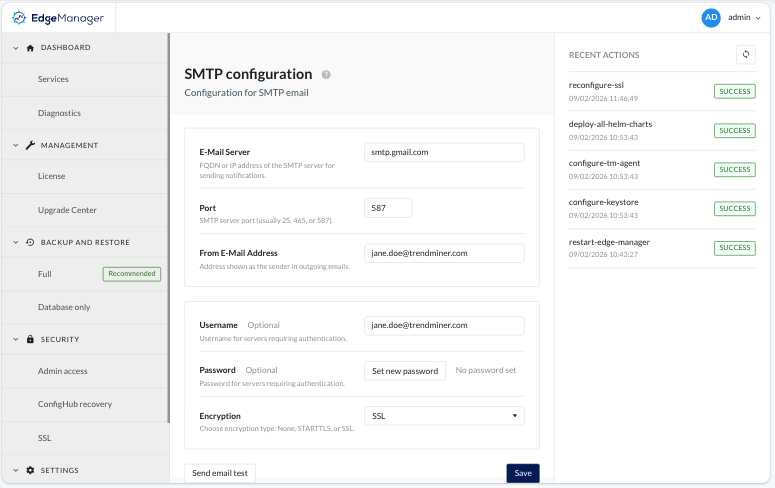
E-mail server: The hostname or IP address of the mail server that TrendMiner will use to relay emails to your users. This can be either:
An internal mail server hosted within your organization (e.g.,
mail.yourcompany.com)A public mail server from a provider such as Microsoft 365, Google Workspace, or Amazon SES (e.g.,
smtp.gmail.com)
Port: The port number your mail server is listening on for SMTP connections. Common ports include:
25: Standard SMTP (often blocked by ISPs and cloud providers; typically used for internal/local servers only)
465: SMTP over SSL/TLS (encrypted from the start of the connection)
587: SMTP with STARTTLS (starts unencrypted, then upgrades to a secure connection)
Note: When using SSL or STARTTLS encryption (see below), the port is almost always fixed to 465 or 587 respectively. Consult your mail server administrator if you are unsure which port to use.
From E-Mail Address: The email address that will appear as the sender ("From" address) on every email sent by TrendMiner. For example:
trendminer-noreply@yourcompany.com.Make sure this address is authorized to send on behalf of your mail server to avoid emails being rejected or marked as spam.
Notice
Test mails sent from Edge Manager are always sent with "From" address
edge-manager@trendminer.com. The configured 'From' address will however be used for the mails which are sent by the application afterwards.Username: The username for authenticating with your mail server. This field is optional and only required if your mail server requires authentication (most external/public mail servers do).
Note: When a username is provided, you must also provide a password.
Password: The password associated with the username above. Required whenever a username is provided.
Encryption:
None: No encryption is applied to the connection. All communication between TrendMiner and the mail server is sent in plain text.
SSL: (Secure Sockets Layer) — or more accurately its successor TLS (Transport Layer Security) — provides encryption from the very first moment of the connection. Unlike STARTTLS, there is no initial plain-text phase; the connection is fully encrypted before any data is exchanged. Common port is 465.
STARTTLS: (Start Transport Layer Security) is a protocol extension that upgrades an initially plain-text SMTP connection to an encrypted one. Common port is 587.
Notice
Only public certificates are allowed. Self-signed certificates are not supported.
Don't forget to click “Save” to apply changes.
Validation
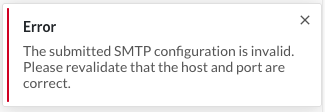
After applying changes a quick validation is executed, making sure TrendMiner can access the email server via the provided settings. When this results in an error, e.g. the error shown below, please contact your IT administrator. The error shown below is caused by TrendMiner not allowed to access the configured mail server.
 |
Send a test email to validate the provided email settings:
Click on “Send test email”
Provide a valid email address to send the test email to.
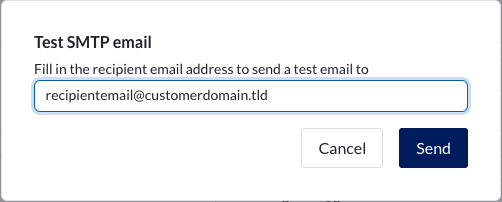
Clicking the "Send" button.
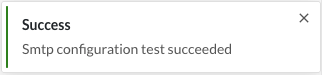
If the validation was successful, you will receive the following notification:
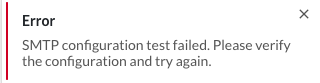
In case of a failure, please validate the settings are provided correctly. When the failure persists after re-validation, please reach out to your IT administrator.