ConfigHub password
The ConfigHub password is reset as all other local users on the TrendMiner installation.
Here is how that works:
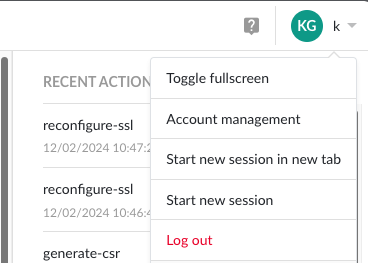
click on the upper right corner on you profile icon and select “Account management”
 |
then click on Password and fill in the information in the screen.
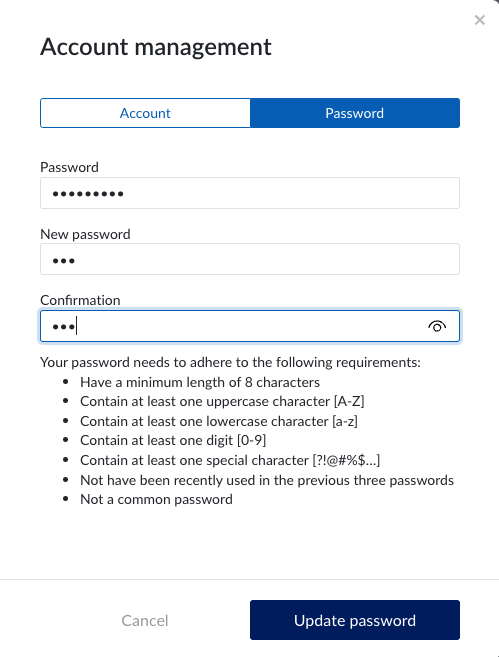 |
Click “Update password” to change your password.
Tip
Store your new password securely in your company password manager. TrendMiner will not be able to recover your lost password.