How to get the Windows IIS logs?
Notice
Information on this page only applies to the WebHost version of the TrendMiner connector, not to the AppHost version. More info on WebHost vs. AppHost can be found here.
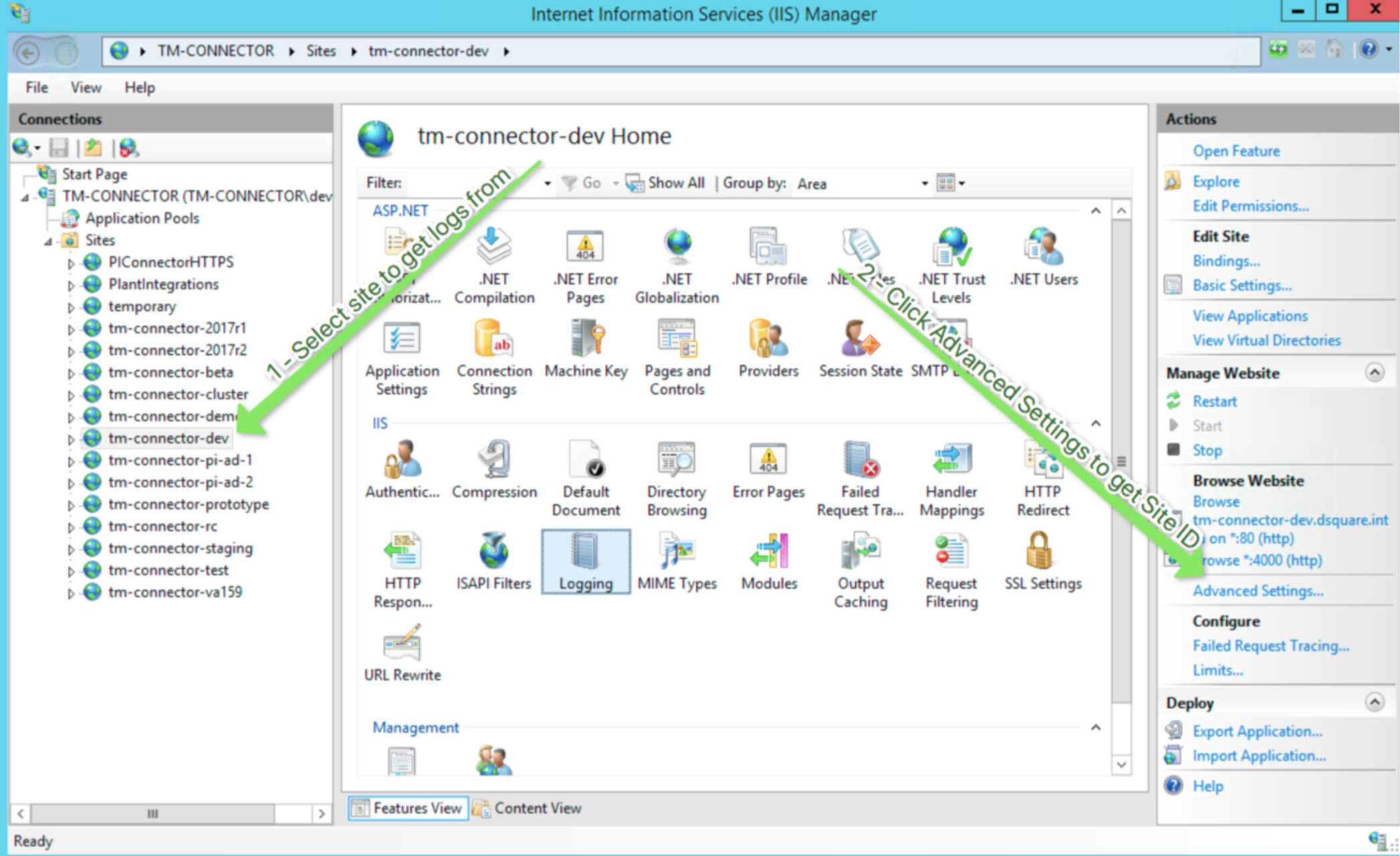
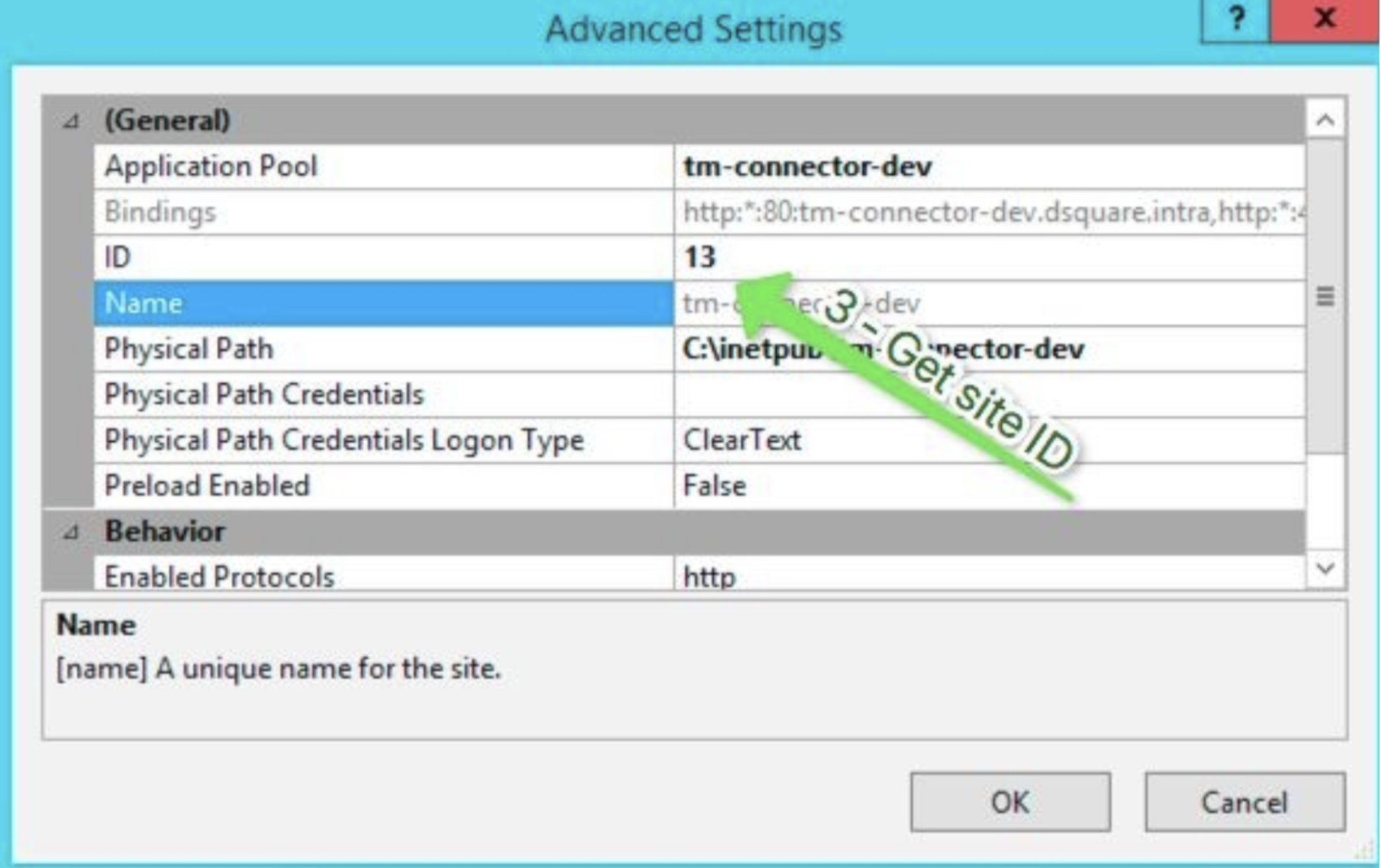
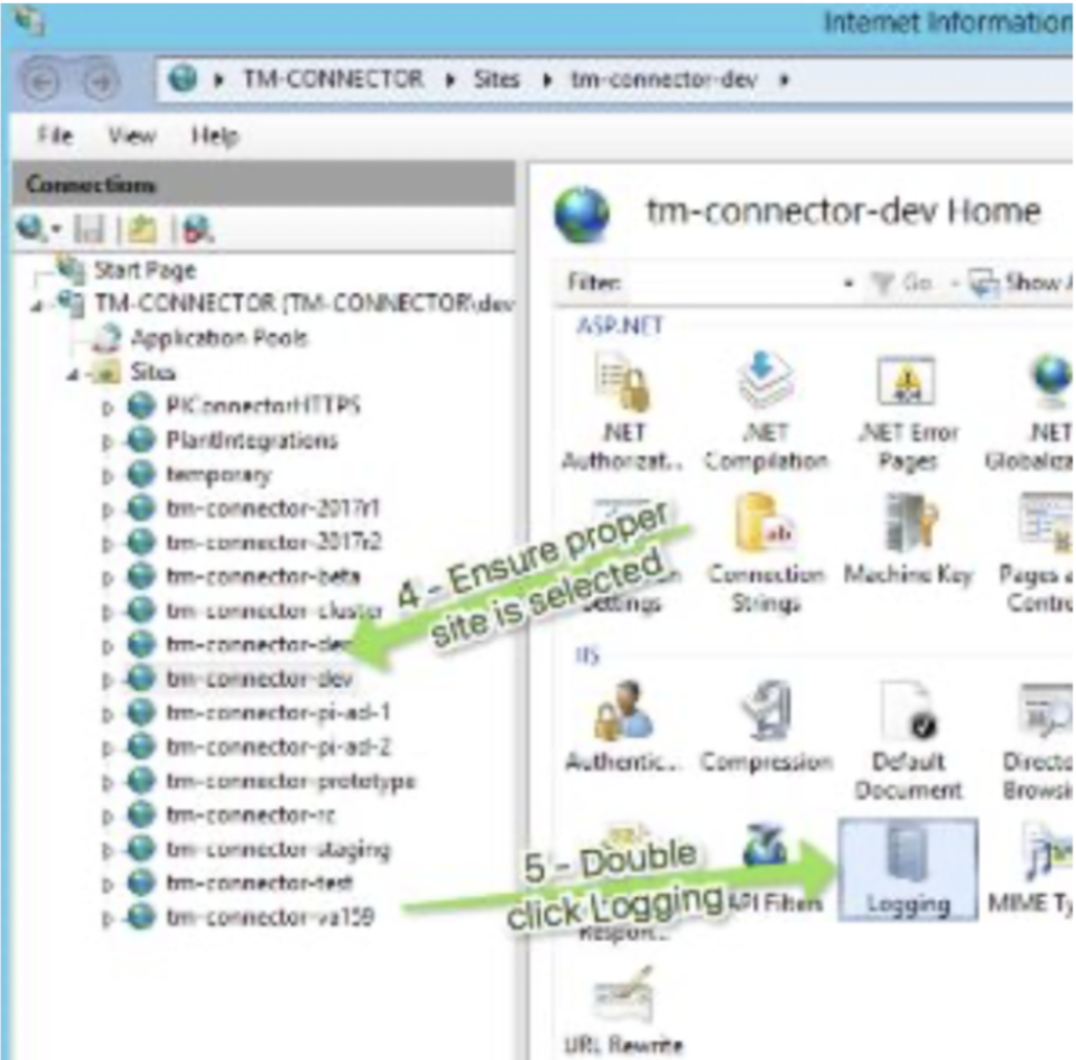
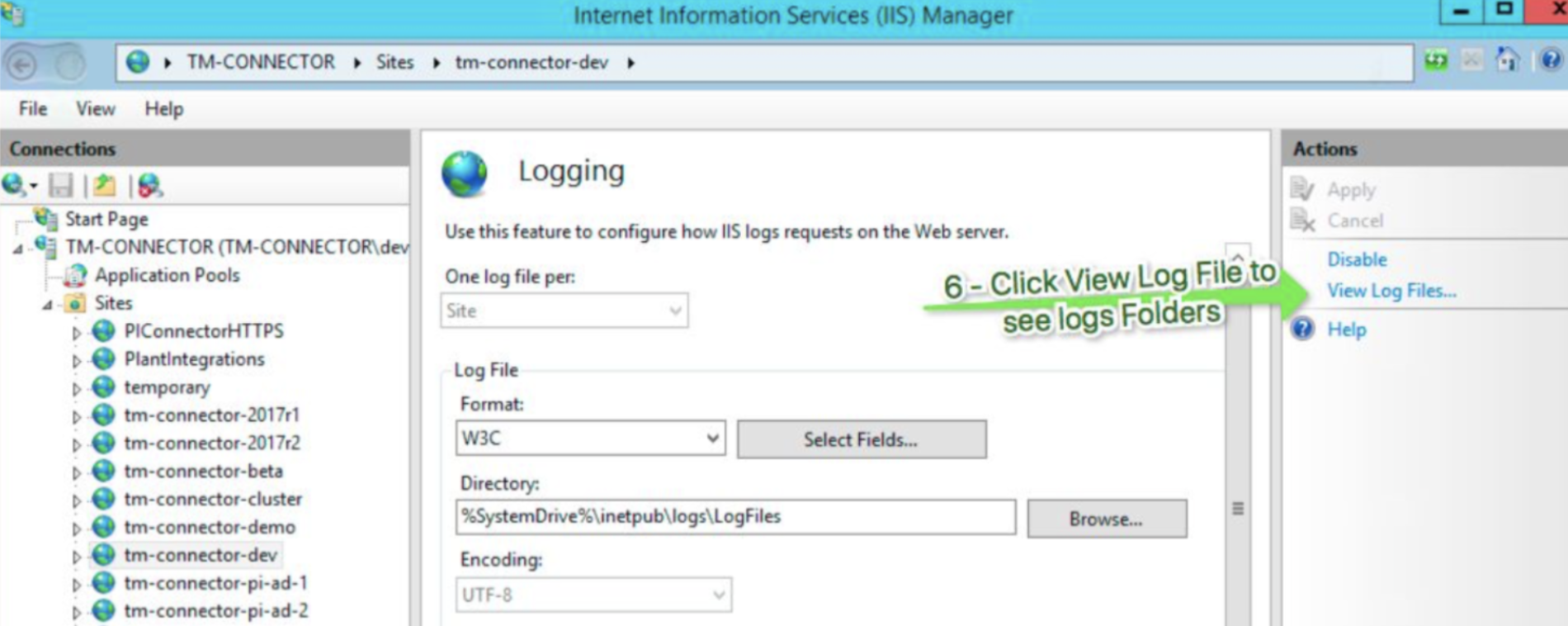
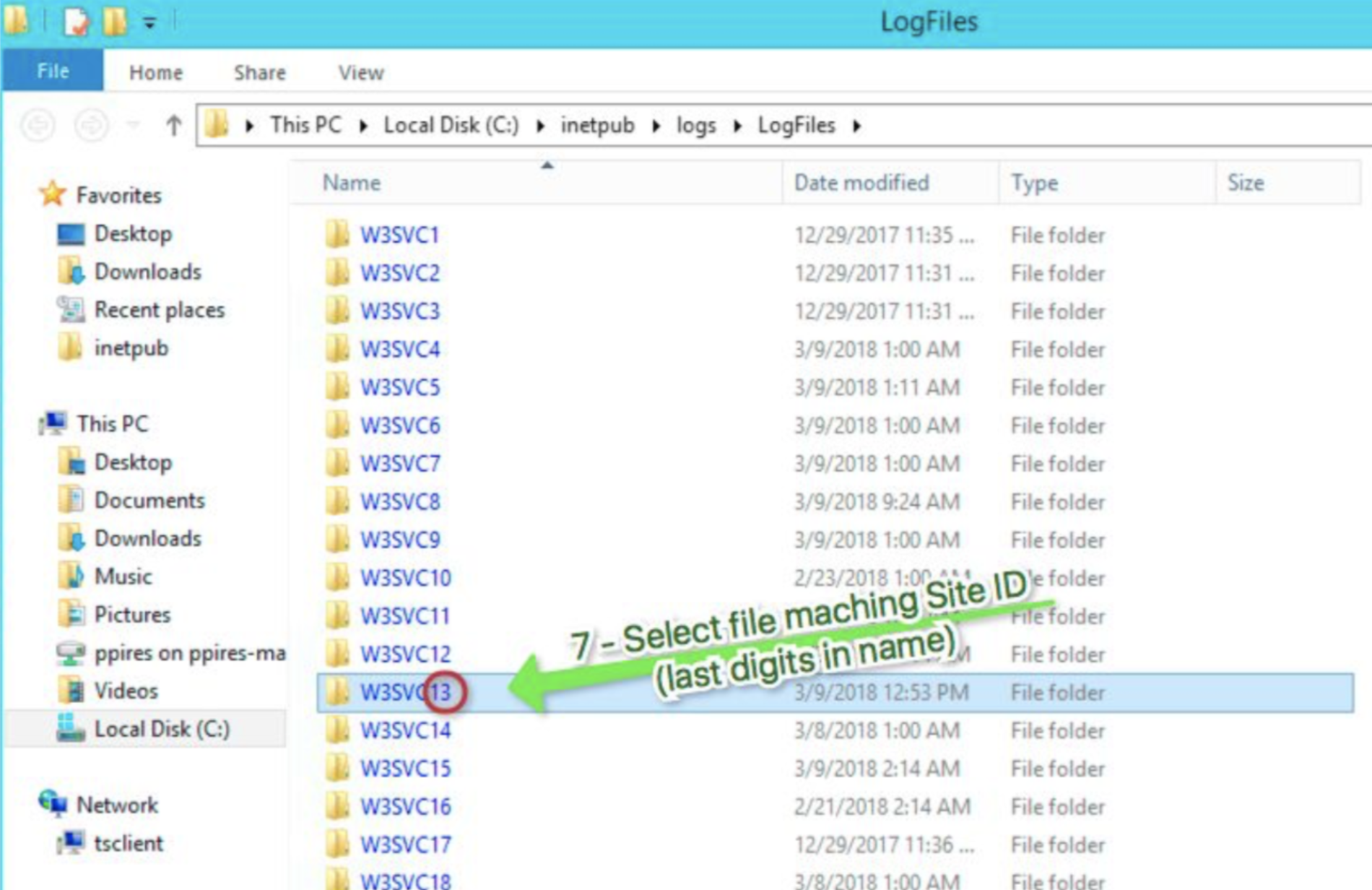
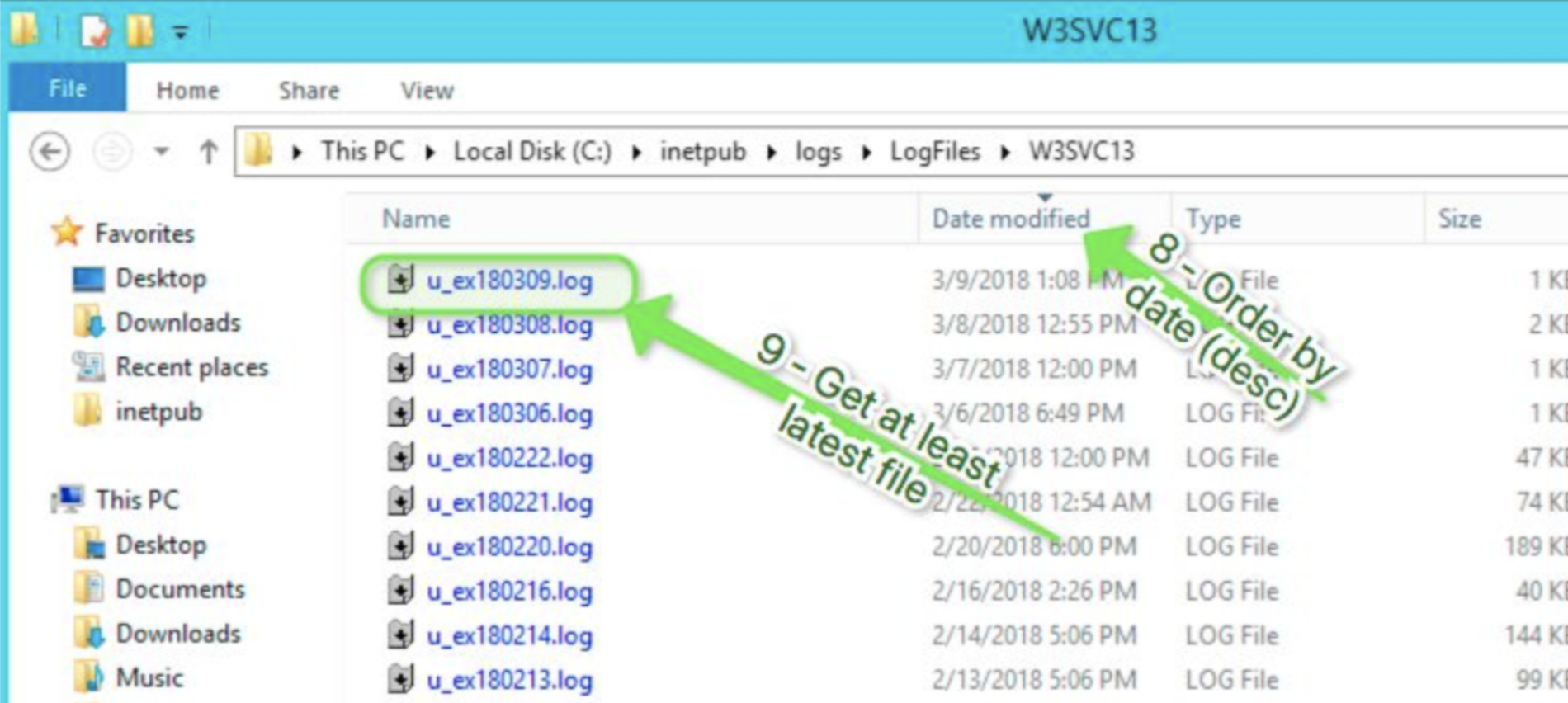
Sometimes, when troubleshooting complex issues with IIS, it's necessary for TrendMiner support to get some additional information to troubleshoot the issue further. To gather the Windows IIS logs, follow these steps: