How to fix data gaps?
When you data source is having temporary issues it could be that data gaps occur in the TrendMiner index because the data source was not able to provide the data timely. When the data is backfilled in the data source TrendMiner will not re-sync this data if more recent data was already received.
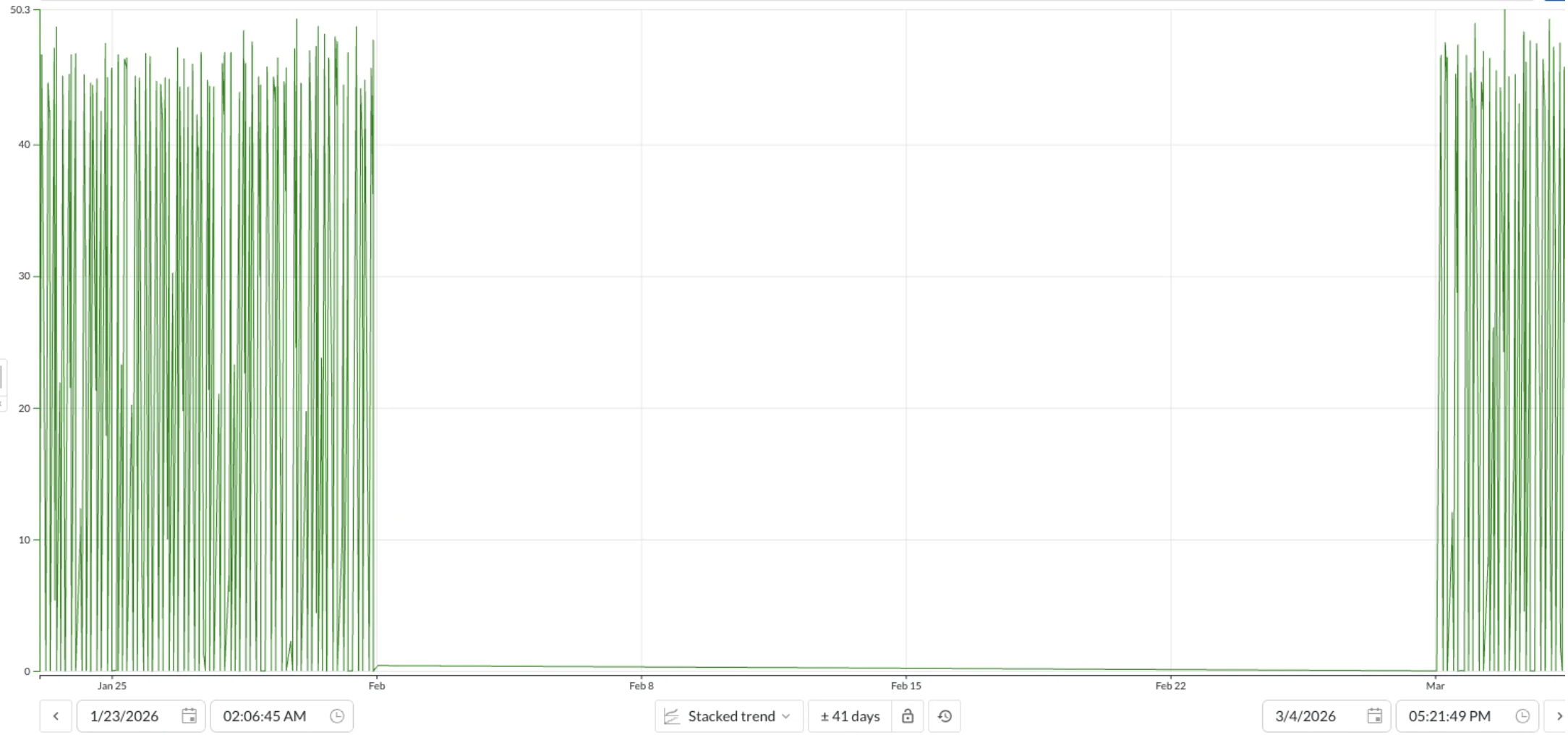
There are 2 ways to fix this:
Re-index the impacted tag(s) completely via the index manager.
Use an API to delete the last X months of index data for a tag (pruning) and force TrendMiner to re-index only the last months.
The fastest way to run this API call is by using the TrendMiner API console:
Browse to the API console: TrendMiner API Console
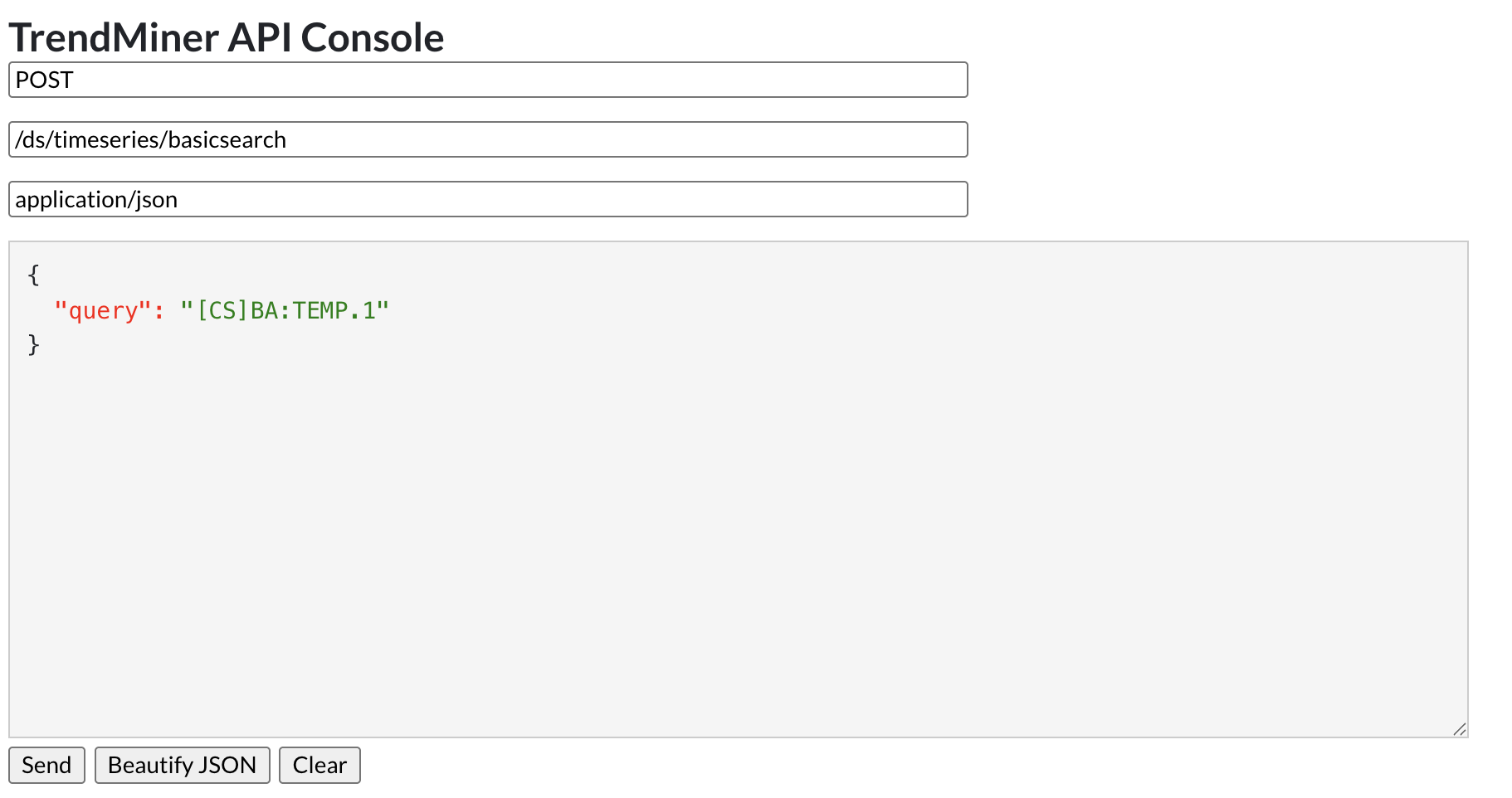
Search the tag uuid by its name:
POST /ds/timeseries/basicsearchwith body:
{ "query": "<tag name>" }Example:
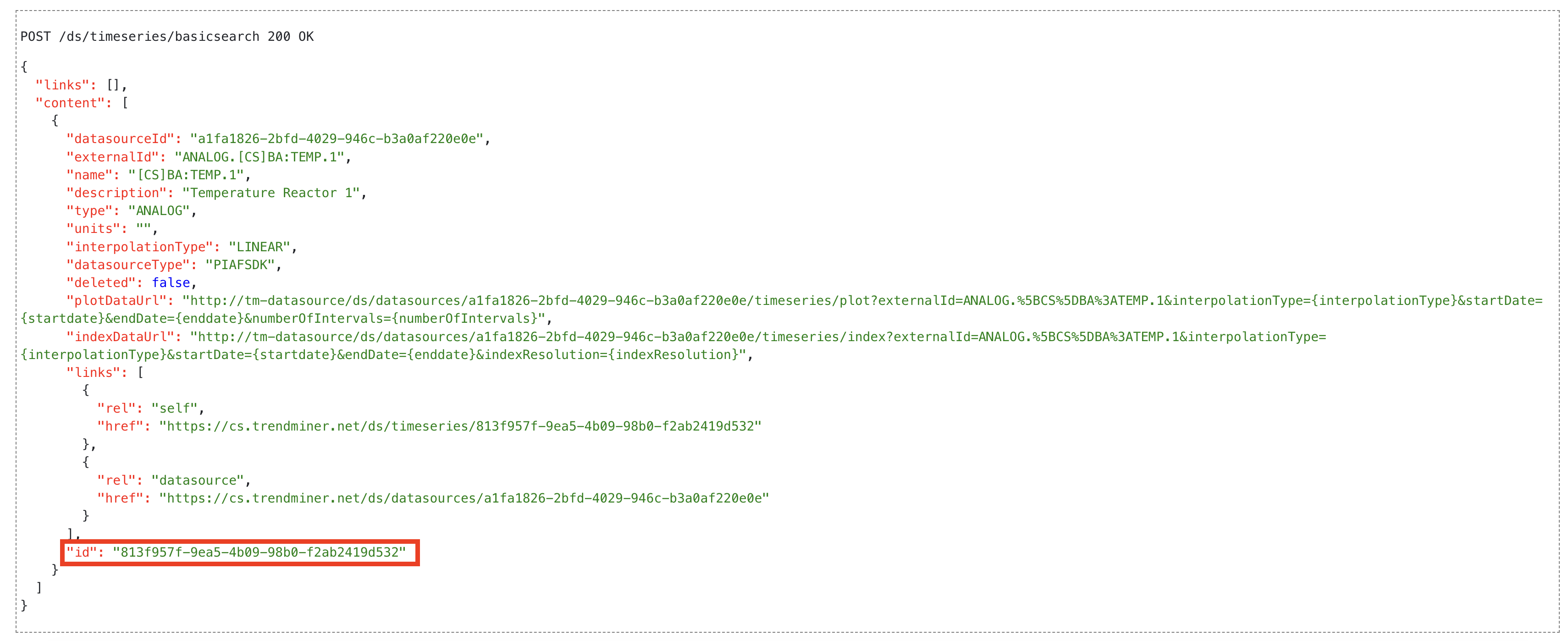
Get the uuid (id) from the response.
Example:
Use the prune endpoint from the indexScheduler API to prune index data:
POST /indexScheduler/indexableItems/<tag_uuid>/prune/endwith body:
{ "pruneDate": "2026-01-01T00:00:00Z" }Example:
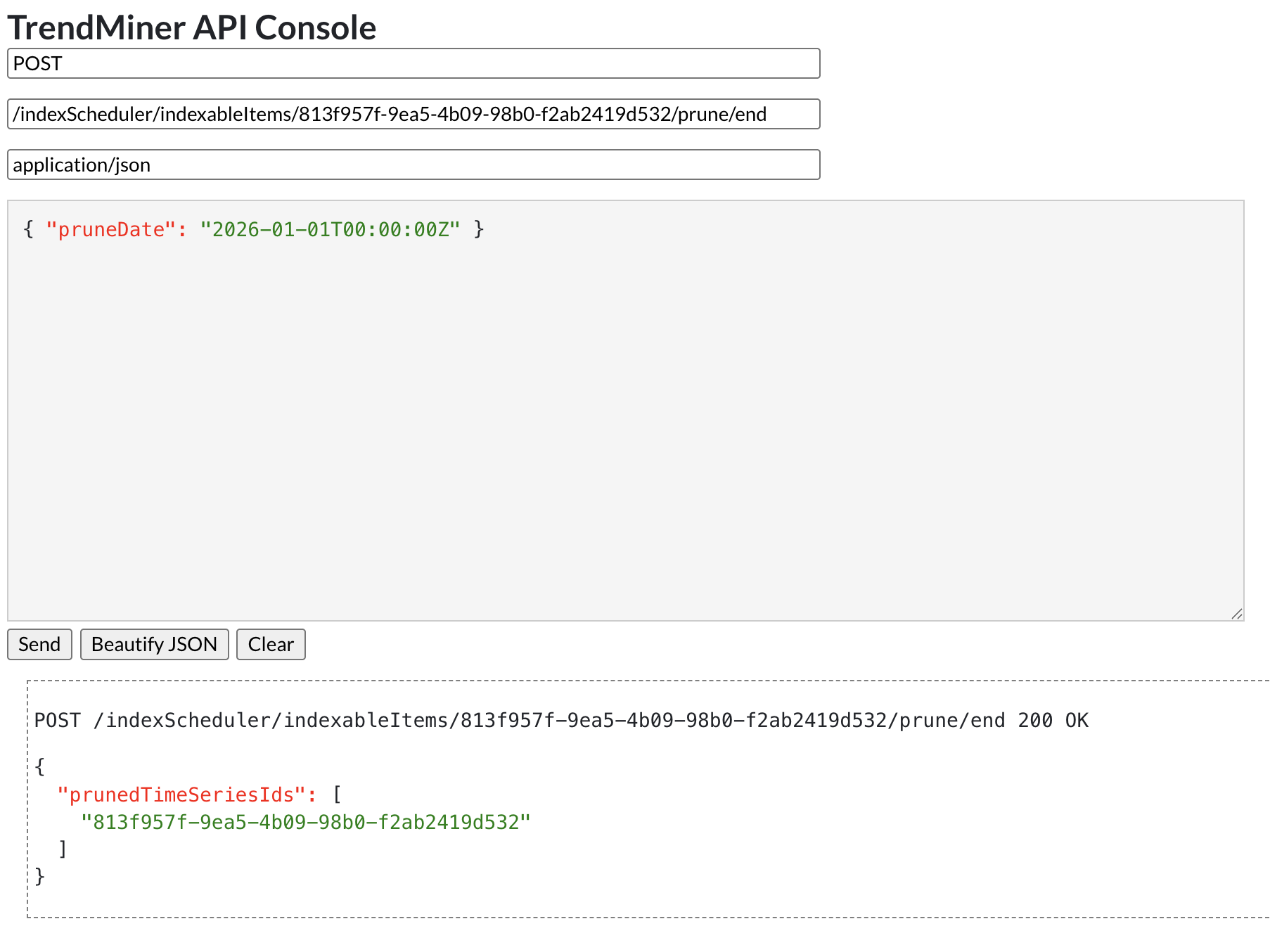
When data is pruned, the tag will not automatically re-index the deleted index data. The index data will be added again according to the tag's index policy or when the tag is used by a user (e.g. added to the chart).