PHD extrapolation
Default behavior in PHD
In PHD, the tags have an ‘Extrapolation Damping’ setting, which controls how data is extrapolated. To learn more about PHD's extrapolation, please check the Uniformance PHD system manual and more specifically the section called "Interpolation and Extrapolation".
When TrendMiner requests data from PHD, it will receive not only the real raw data points but also the extrapolated values for the tags and TrendMiner will store them in the index. TrendMiner does not know the difference between a real data point and an extrapolated data point and once values are received and stored in the index they will not be requested or updated again afterwards. The only option to renew/refresh the index data is by re-indexing the full tag.
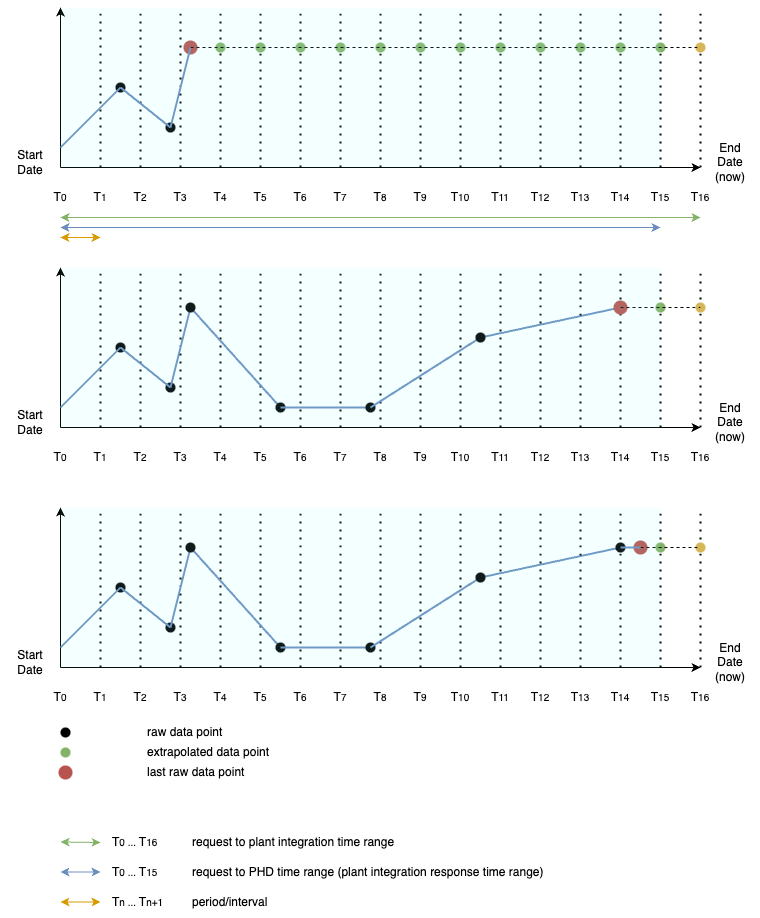
Consider the examples below where the blue dots represent real data points in the historian. The red dots represent the last real value. The green dots represent PHD extrapolated values.
If TrendMiner requests data from T0 to T16 it will receive all points (blue, red, green, yellow) and it will store all of them, except for the yellow one in the index (the last interval is not stored). The next time TrendMiner requests index data the start of the request will be T15.
An unwanted side effect is that the extrapolated values are stored in the TrendMiner index as if they were real values and will therefore be used in data analysis.
Enable Exclude Extrapolation in TrendMiner
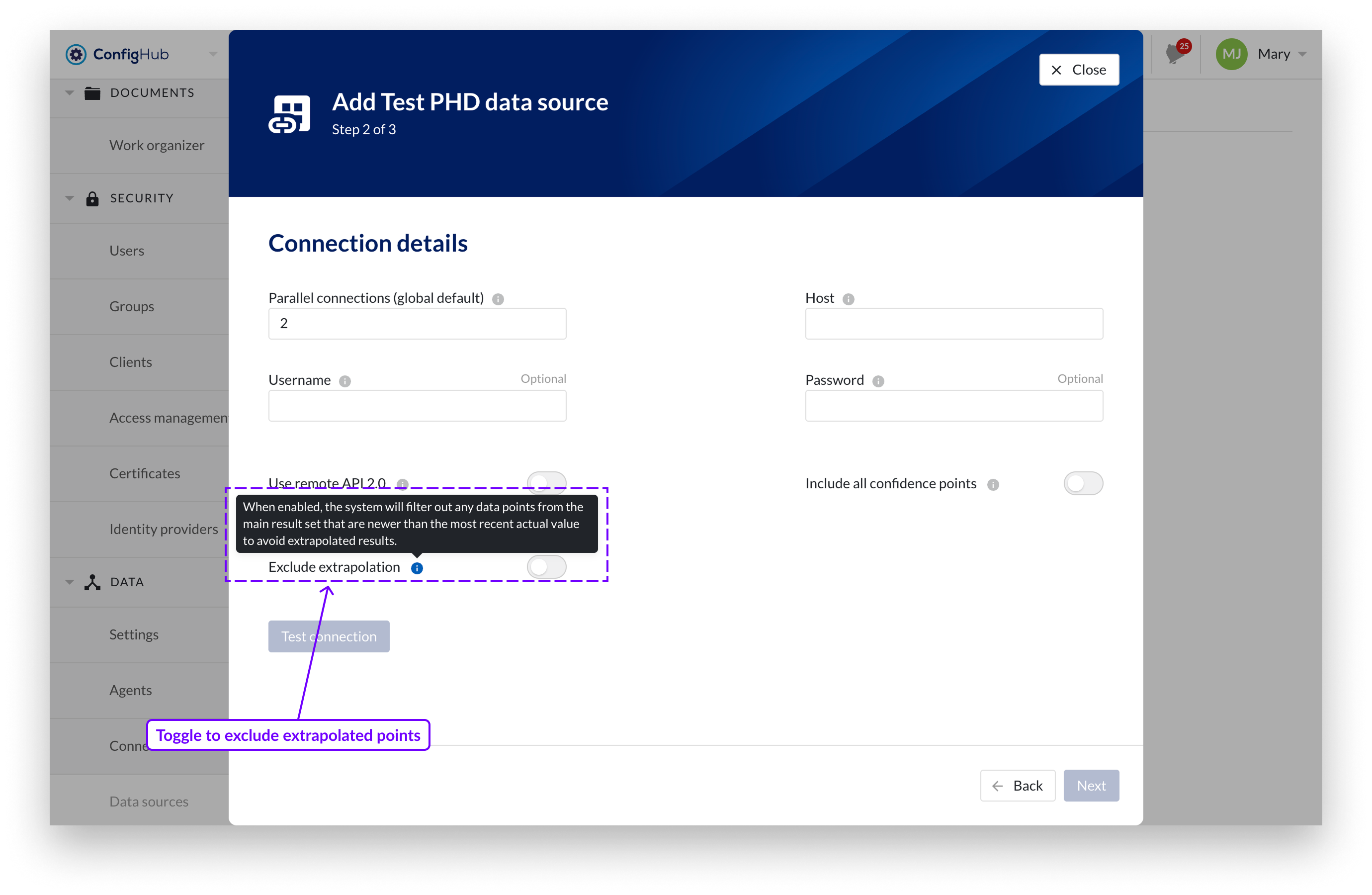
TrendMiner provides an Exclude Extrapolation property that filters out any data points newer than the last recorded value. This ensures only actual, measured data is included in your analysis. This option is particularly useful for tags that update less frequently or irregularly.